Engraved Pens

Personalise your pen with a name, message or date. We use state-of-the-art diamond and laser engraving technology to create a premium finish for birthdays, weddings, graduations and every occasion in between.

3 fonts — Script, Roman & Futura Up to 16 characters From £6.95 Same-day dispatch

The Pen Engraving Process

We keep the process simple for you while using the latest engraving technology to ensure a premium finish that exceeds your expectations.
Adding engraving options to a pen on the product page

1. Add the engraving

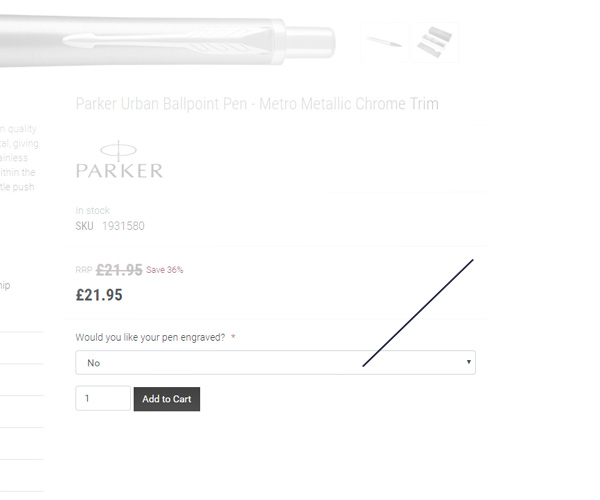
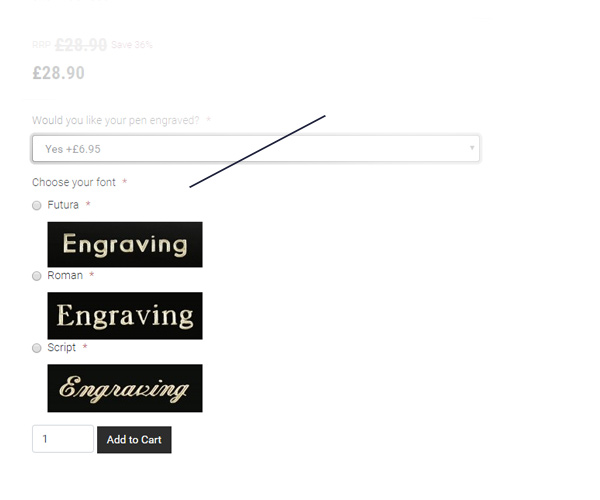
On the product page you'll find a dropdown titled 'Would you like your pen engraved?' Select yes to choose your font and enter your message of up to 16 characters. We offer three fonts — Futura, Roman and Script — each with a preview of its final finish.

2. Complete the order

Check out as normal. Your order will be picked from the warehouse and passed to our engraving department. No delays — engraved orders meet the same dispatch cut-off times as regular orders.
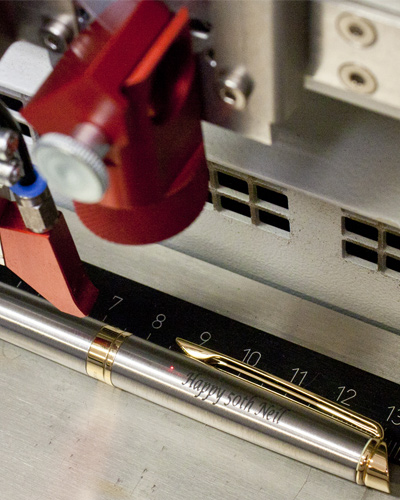
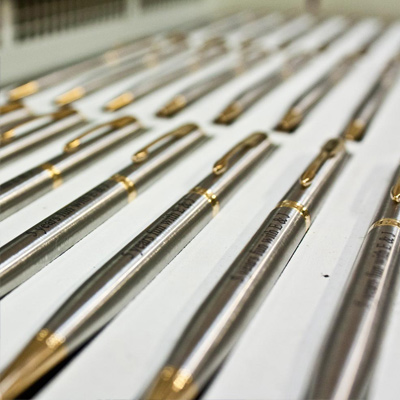
Laser pen engraving machine in action

3. Expert engraving

An engraving expert evaluates each order and selects the best machine: our diamond engraver cuts into the pen and is ideal for glossy finishes where the engraving can be infilled to match the trim colour; our laser engraver removes paint and is suited to matt finishes, stainless steel, and pens where the trim colour naturally matches.

Stainless steel pens use a thermal bonding process that creates a distinctive black finish. Most engraving is done on the cap so text reads left to right when held. See the examples below for finished results.

For exact details on how your pen will be engraved, contact us.
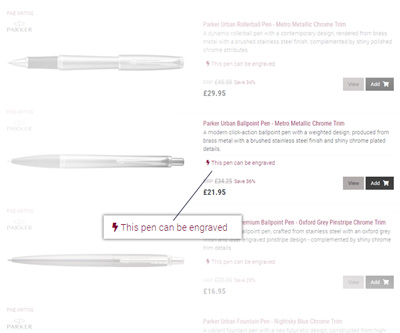
How to Add Engraving to Your Pen

Adding engraving is easy — just follow these four steps.

Step 1: Choose an engraveable pen

1. Choose your pen

Any pen that can be engraved is clearly marked on the product page. You can also use the filters on this page to narrow your search, or browse our full range below.

Step 2: Select the engraving option

2. Add the engraving

On the product page, select 'Yes' from the 'Would you like your pen engraved?' dropdown next to the add-to-cart button. The font options will appear.

Step 3: Choose your engraving font

3. Choose your font

Pick from Script, Roman or Futura. Each has a preview so you can see how it will look. See the FAQ for detailed font guidance.

Step 4: Enter your engraving message

4. Enter your text

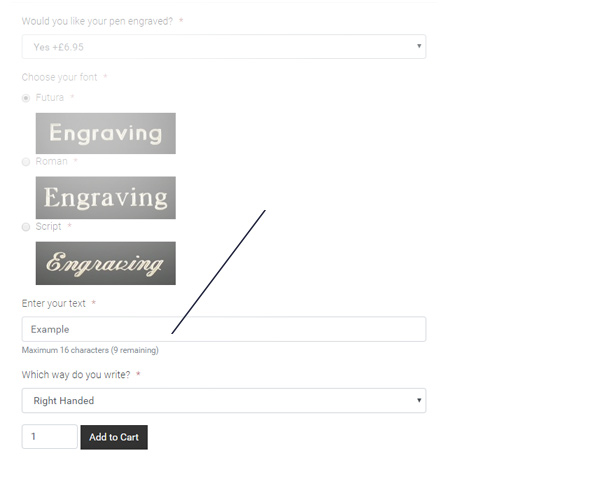
Type your message (up to 16 characters) and click 'Add to Cart'. We engrave exactly what you type, so please double-check your text.

Engraving Examples

See how different pens, fonts and techniques look. For more about our machines and methods, see the FAQ below.

Cross Peerless Ballpoint — Gloss Black Chrome Trim
Roman font, silver infill, diamond engraved
Cross ATX Rollerball — Translucent Blue
Script font, laser engraved
Parker IM Rollerball — Brushed Steel Gold Trim
Script font, diamond engraved
Waterman Expert Rollerball — Matte Black Chrome Trim
Script font, laser engraved
Parker IM Fountain Pen — Gloss Black Gold Trim
Script font, diamond engraved
Parker Jotter Ballpoint — Stainless Steel Chrome Trim
Script font, laser engraved
Sheaffer Prelude Fountain Pen — Matte Black Gold Trim
Futura font, laser engraved
Waterman Hemisphere Rollerball — Gloss Black Gold Trim
Script font, laser engraved
Waterman Expert Ballpoint — Gloss Black Gold Trim
Roman font, laser engraved
Waterman Hemisphere Ballpoint — Stainless Steel Chrome Trim
Roman font, laser engraved

Frequently Asked Questions

Our team has years of engraving expertise. If your question isn't answered below, please get in touch.

How long does it take to engrave a pen?

We engrave one pen at a time for quality control, but we're efficient — engraved orders have the same dispatch cut-off times as regular orders.

How many characters can you engrave?

Up to 16 characters including spaces. Fewer characters give a larger, cleaner result — especially with the Script font. Pens vary in size, so if you need more characters please contact us and we can advise.

Can you engrave upper and lower case?

Yes. However, all-uppercase text is not recommended with the Script font as it can be hard to read. Roman and Futura handle uppercase well.

Can you engrave logos?

Yes, using our laser engraving technology. The logo needs to be a black-and-white image, with the black portions being engraved. Contact us to discuss your requirements.

What about engraving for left-handed people?

We normally engrave so text reads left to right when held in the writing hand. For left-handed use, we reverse the orientation. You can specify your preference when adding the engraving.

Which part of the pen do you engrave?

We engrave on the cap where possible — this keeps the text visible whether the cap is on or off, and doesn't interfere with your grip. If the cap isn't suitable, we'll engrave the barrel.

If you'd specifically like barrel engraving, mention it in the 'special instructions' box at checkout.

What fonts do you offer?

We offer three fonts, each suited to different styles:

  • Script — Elegant and flowing, ideal for names on fountain pens. Not recommended for dates or all-caps. On our laser machine, Script appears similar to Monotype Corsiva.
  • Futura — A modern sans-serif and our recommended all-rounder. Handles capitals and dates well, and is the most legible at smaller sizes.
  • Roman — A traditional serif font, suited to formal gifts and classic fountain pens.

We recommend avoiding uppercase words or dates in Script as they can be difficult to read.

Showing 50 of 1771 products